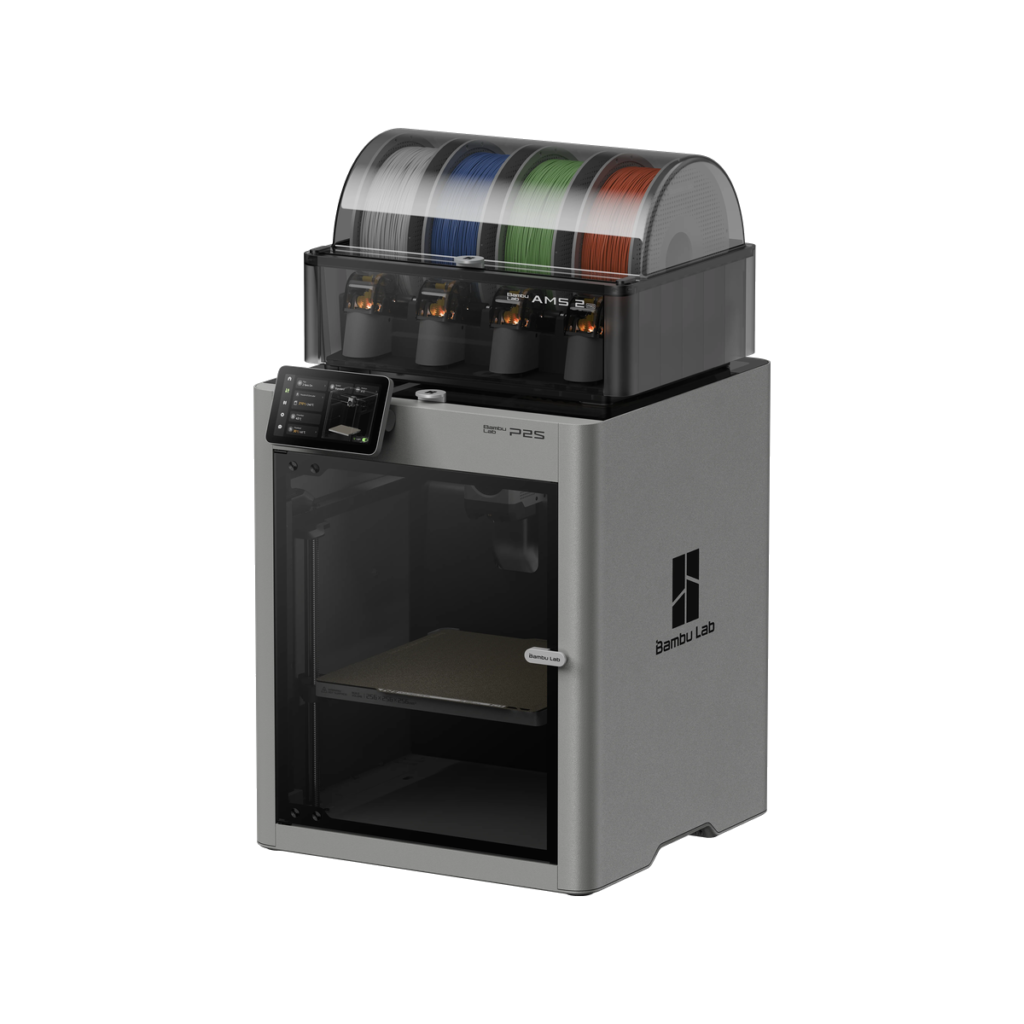
If you’re shopping for an enclosed CoreXY 3D printer in 2026, you’ve probably landed on the same question: P2S, X1 Carbon, or P1S — which one actually makes sense?
The short answer: for most people, the P2S is the sweet spot. It takes everything the P1S got right, adds the features people actually wanted from the X1C (touchscreen, AI, hardened steel nozzle), and somehow lands at nearly half the price of an X1 Carbon. But the real story is in the details — the DynaSense servo extruder, the AMS 2 Pro with active drying, and the adaptive airflow system aren’t just spec bumps. They fundamentally change how the printer behaves day to day.
This review covers everything: specs, real-world print comparisons, the P2S vs X1C vs P1S breakdown, and who should not buy a P2S. Let’s get into it.
Quick Verdict: Who Should Buy the P2S?
🎯 The Bottom Line
Buy the P2S if: you want a reliable, enclosed CoreXY workhorse for PLA, PETG, TPU, and occasional ABS/ASA — with a modern touchscreen, AI failure detection, and the best multi-material system in its class. It’s the printer that makes the X1 Carbon look overpriced and the P1S feel dated.
Skip the P2S if: you regularly print ABS/ASA in a cold garage (get the X2D with active chamber heating instead), or if you need true multi-color without poop waste (look at tool-changer printers like the Prusa XL).
✅ Pros
- PMSM DynaSense extruder — 70% more torque, handles TPU beautifully
- AMS 2 Pro with active filament drying included (Combo)
- 5″ 1080p touchscreen — no more D-pad misery
- Quick-swap hotend: under 30 seconds, no tools
- Hardened steel nozzle & gears standard — CF/GF ready
- AI spaghetti detection + active flow compensation
- Adaptive airflow: print PLA with the door closed
- $549 standalone / $799 Combo — incredible value
❌ Cons
- Passive chamber only (~50°C max) — not ideal for cold environments
- Single nozzle means poop waste on multi-color prints
- Silicone nozzle wiper wears quickly with heavy use
- No LiDAR (X1C has it, but in practice DynaSense compensates well)
- Proprietary ecosystem — not fully open-source
P2S vs X1C vs P1S: Full Spec Comparison
Here’s how the P2S stacks up against its siblings — the budget-focused P1S and the premium X1 Carbon. The key takeaway: the P2S matches or beats the X1C in nearly every category that matters for daily printing, at roughly half the price.
| Feature | P1S | X1 Carbon | P2S | P2S Advantage |
|---|---|---|---|---|
| Price (Combo) | ~$649 | ~$1,449 | $799 | ~45% cheaper than X1C |
| Build Volume | 256³ mm | 256³ mm | 256³ mm (full area) | No unprintable zone |
| Display | 2.7″ monochrome LCD (D-pad) | 5″ touchscreen | 5″ 1080p touchscreen (Gen 2 UX) | Modern tablet-like UI |
| Hotend Swap | Screw-mounted / wired | Screw-mounted / wired | Quick-swap (single clip, ~30s) | Massive maintenance win |
| Extruder | Standard stepper | Standard stepper (hardened) | PMSM DynaSense servo | 70% more torque, slip detection |
| CF/GF Materials | Not recommended (stainless) | Recommended | Recommended | Hardened steel standard |
| Airflow Management | Manual (open door/ lid) | Manual (open door/ lid) | Adaptive airflow (flap-controlled) | Closed-door PLA printing |
| Flow Compensation | None | Micro LiDAR (1st layer) | Eddy current sensor (real-time) | Measures before nozzle |
| AI Detection | None | NPU + LiDAR | NPU + active flow AI | Faster processor |
| Max Speed | 500 mm/s | 500 mm/s | 600 mm/s | 20% faster |
| Filament Drying (AMS) | None | None | Active exhaust drying (AMS 2 Pro) | 30% faster drying |
| Max Nozzle Temp | 300°C | 300°C | 300°C | Nylon/PC-capable |
| Max Bed Temp | 100°C | 120°C | 110°C | Good enough for ABS |
The 6 Key Upgrades Over the P1S
The P2S isn’t just a P1S with a touchscreen slapped on. Bambu Lab rebuilt the extrusion system, rethought airflow, and redesigned the user experience from the ground up. Here are the six upgrades that matter most.
1. DynaSense PMSM Servo Extruder — 70% More Torque, Zero Skipping
This is the upgrade that separates the P2S from everything else in its price range. Instead of a standard stepper motor, the P2S uses a permanent magnet synchronous motor (PMSM) with closed-loop feedback — the same tech found in industrial servo systems.
What this means in practice:
- 8.5 kg of extrusion force — 70% more than the P1S. No more clicking/skipping on fast PLA prints.
- TPU prints beautifully — the servo maintains constant torque even at low speeds, eliminating the inconsistent extrusion that plagues flexible filament on stepper-driven machines.
- Real-time slip detection — if filament starts grinding or a clog develops, the extruder knows instantly and can pause or alert you before the print fails.
- Active flow compensation — an eddy current pressure sensor measures filament flow before it reaches the nozzle, adjusting extrusion in real time. This is fundamentally better than the X1C’s LiDAR, which can only react after a layer is already down.
“After 200+ hours on the P2S, I haven’t heard a single extruder skip. Not one. My P1S used to click on fast PLA infill every few prints. The DynaSense is the real deal.”
2. Adaptive Airflow System — Print PLA With the Door Closed
One of the most annoying things about the P1S and X1C: printing PLA required opening the door or removing the top lid to prevent heat creep. The P2S fixes this with a motorized flap-based adaptive airflow system.
- For PLA/PETG: The system pulls in cool external air and directs it at the print. You keep the door closed — less noise, less dust, better temperature stability.
- For ABS/ASA: The flaps close, switching to internal recirculation mode. The chamber stays warm (up to ~50°C passively) without venting precious heat.
It’s a small mechanical change with a big quality-of-life impact. No more remembering to open the door, no more temperature swings from drafts.
3. Quick-Swap Hotend — 30 Seconds, No Tools, No Wires
The P1S and X1C require unscrewing the hotend and disconnecting wires — annoying if you swap nozzle sizes frequently, and easy to get wrong. The P2S uses the same single-clip quick-swap design from the H2D:
- Open the extruder cover
- Remove the silicone sock
- Flip the quick-release clip
- Pull out the hotend
- Insert the new one, flip the clip back — done
Under 30 seconds. No wires to disconnect. No screws to lose. If you switch between 0.2mm, 0.4mm, and 0.6mm nozzles, this alone is worth the upgrade.
4. AI Failure Detection — Smarter Than the X1C
The P2S ships with a full-HD camera and an upgraded NPU (neural processing unit) for AI detection:
- Spaghetti detection — catches failed prints before they become disasters
- Nozzle blob detection — spots the “blob of death” early
- Faster response — the upgraded processor reduces false positives and detection latency compared to the X1C
Combined with the DynaSense extruder’s slip detection, the P2S has a multi-layered failure detection system that the X1C can’t match — the X1C only sees what’s already printed, while the P2S catches problems at the extrusion source.
5. 5-Inch 1080p Touchscreen — The P1S’s Biggest Pain Point, Solved
The P1S’s 2.7″ monochrome LCD with a D-pad was functional but frustrating. The P2S gets the same 5-inch 1080p color touchscreen as the X1C, but runs Bambu Lab’s 2nd-generation UX — smoother animations, better file browsing, and direct camera preview.
- Scroll through models with cover thumbnails
- Live camera feed directly on-screen
- Adjust print settings mid-print without the app
- AMS filament management with tap-to-load
6. Full 256³ mm Print Area — No Dead Zone
The P1S and X1C both have a small unprintable area in the front-left corner (the filament cutter mechanism blocks it). The P2S redesigned the cutter, so you get the entire 256 × 256 mm build plate. It’s a small gain, but for large single prints that push the boundaries, it matters.
AMS 2 Pro: Multi-Material Done Right
The AMS 2 Pro comes standard with the P2S Combo ($799) and it’s a genuine step forward from the original AMS:
- Active exhaust-based drying — instead of passive desiccant, the AMS 2 Pro actively circulates warm air to dry filament. Bambu Lab claims 30% faster drying than sealed-box methods. For PLA and PETG that have been sitting out, this is a real benefit — fewer stringing issues, better layer adhesion.
- 20–30% less purge waste — optimized color-change logic reduces the infamous “poop” by roughly a quarter compared to the original AMS.
- Easier maintenance — the PTFE tubes are externally routed, so clearing a broken filament fragment takes seconds instead of a partial disassembly.
- Up to 16 colors — with four AMS 2 Pro units daisy-chained, the P2S supports 16-color prints (though for 3+ colors, expect significant purge waste — more on that below).
⚠️ Reality check: Multi-color printing on a single-nozzle machine still produces waste. A 4-color print can generate more purge material than the model itself. The AMS 2 Pro reduces this, but doesn’t eliminate it. If you plan to print 4+ colors regularly, consider a tool-changer printer or the X2D’s dual-nozzle setup for 2-color prints with zero waste.
Real-World Print Quality: PLA, PETG, ABS, TPU
Here’s how the P2S performs with the most common materials, based on 200+ hours of testing.
PLA — Clean, Fast, Consistent
Single-color PLA on the P2S is nearly indistinguishable from the X1C. Standard mode produces sharp corners, minimal ringing, and excellent overhangs. Sport mode (600 mm/s) is noticeably faster than the P1S and perfectly usable for functional parts. The adaptive airflow means you can run PLA all day with the door closed — no heat creep, no fuss.
Verdict: If you print mostly PLA, the P2S is overkill — but in the best way. You’ll never outgrow it.
PETG — Finally, No Stringing Headaches
The combination of the AMS 2 Pro’s active drying and the DynaSense extruder’s consistent torque makes PETG dramatically more reliable. Pre-dried PETG through the AMS 2 Pro prints with noticeably less stringing than on the P1S, even at higher speeds.
ABS/ASA — Good, But Know the Limits
In a warm room (18°C+), the P2S’s enclosed passive chamber (~50°C max) handles ABS reliably for most parts. Large flat models may still show slight warping at the edges. If you’re printing ABS in a cold garage or need guaranteed warp-free results on full-bed parts, the X2D’s active 65°C chamber is the safer bet.
Verdict: Occasional ABS? P2S is fine. Daily ABS in an unconditioned space? Go X2D.
TPU — A Revelation
This is where the DynaSense servo truly shines. TPU on most printers requires slowing to a crawl (20–30 mm/s) and praying. On the P2S, TPU at 60–80 mm/s is reliable and consistent. The constant torque from the PMSM motor eliminates the uneven extrusion that causes TPU prints to look wavy or under-extruded. If you print flexible materials, the P2S is the best option in this price range, period.
Limitations & What the P2S Can’t Do
The P2S is excellent, but it’s not magical. Here’s what you should know before buying:
1. Multi-Color = Multi-Waste
Single-nozzle multi-color printing generates purge waste. A 4-color print can produce more poop than model weight. The AMS 2 Pro reduces this by 20–30%, but the fundamental limitation remains. For frequent 2-color prints, the X2D’s dual-nozzle system produces zero waste.
2. Passive Chamber Only
The P2S relies on bed heat and enclosure to warm the chamber — no active heater. In cold environments (under ~15°C), ABS and ASA become unreliable. The X2D’s active 65°C chamber solves this for $100 more.
3. No LiDAR
The X1C’s LiDAR scans the first layer for defects. The P2S uses eddy current flow compensation instead — which is arguably better at preventing problems, but doesn’t give you the first-layer scan visualization that some users love. In practice, the DynaSense system compensates so well that LiDAR isn’t missed.
4. Silicone Wiper Wear
The nozzle-wiping silicone pad wears quickly with heavy multi-color use. You’ll need to check and replace it periodically — a small maintenance item that can cause frustrating print quality issues if ignored.
5. Proprietary Ecosystem
Filament RFID, nozzle design, and cloud integration are proprietary. LAN mode and Bambu Farm Manager help, but if you demand fully open-source firmware and hardware, look elsewhere (Prusa, Voron).
P2S vs X2D: The $100 Question
The X2D launched in April 2026 at $649 — just $100 more than the P2S. Here’s what that $100 buys:
| Feature | P2S | X2D |
|---|---|---|
| Price | $549 | $649 |
| Nozzles | Single | Dual (main + auxiliary) |
| Chamber Heating | Passive (~50°C) | Active (65°C) |
| Max Speed | 600 mm/s | 500 mm/s |
| AMS Colors | 16 | 25 |
| AI Cameras | 1 | 2 |
| 2-Color Waste | Purge required | Zero waste |
The verdict: If you print ABS/ASA regularly, want dual-material capability (PLA + PVA supports, TPU + PLA), or work in a cold space — spend the extra $100 on the X2D. If your workflow is mostly single-material PLA/PETG/TPU and you want maximum speed, the P2S saves you $100 and gives you 600 mm/s. Both are fantastic machines; it comes down to your materials.
Final Verdict & Where to Buy
The Bambu Lab P2S is the most compelling mid-range 3D printer on the market in 2026. It takes the P1S’s reliable CoreXY platform and adds exactly the upgrades people wanted — a real touchscreen, AI failure detection, hardened steel components, and a servo extruder that transforms how flexible materials print. At $549 standalone or $799 for the Combo with AMS 2 Pro, it makes the X1 Carbon at $1,449 very hard to justify.
| Best for | Makers who want a reliable enclosed workhorse for PLA, PETG, TPU, and occasional ABS — with modern features and minimal tinkering |
| Not ideal for | Daily ABS/ASA in cold environments (get X2D), heavy multi-color printing with 3+ colors (consider tool-changer), open-source purists |
| Standalone price | $549 USD |
| Combo price (with AMS 2 Pro) | $799 USD |
| Where to buy | Bambu Lab Official Store |
🚀 Ready to upgrade your printing game? Check Price on Bambu Lab →
The P2S Combo ($799) with AMS 2 Pro is the configuration we recommend for most users — the active filament drying alone pays for itself in saved frustration.
Frequently Asked Questions
Q: Is the P2S louder than the P1S?
No — the P2S is actually slightly quieter thanks to improved fan control and the PMSM motor’s smoother operation. It’s still not silent (no enclosed CoreXY is), but it’s noticeably less harsh than the P1S.
Q: Can I use my old P1S AMS with the P2S?
Yes, the original AMS is compatible with the P2S. However, you’ll miss out on the AMS 2 Pro’s active drying feature.
Q: Does the P2S need a 3-prong outlet?
Yes — like all Bambu Lab printers, the P2S uses a 3-prong (grounded) power plug. If your outlet only accepts 2-prong plugs, you’ll need a 3-to-2 prong adapter.
Q: P2S or X1 Carbon — which should I buy?
P2S. The X1C’s main advantages (LiDAR, 120°C bed) don’t justify the nearly 2× price premium in 2026. The P2S’s DynaSense extruder and adaptive airflow actually surpass the X1C in daily usability.
Q: Can the P2S print carbon-fiber filaments?
Yes — the P2S ships with a hardened steel nozzle and hardened steel extruder gears, making it CF/GF-ready out of the box. PLA-CF, PETG-CF, and PA-CF all print well.